
Best Bank Statement Converters in 2026: 5 Tools Compared
The best bank statement converter for Excel or CSV in 2026 is Bank Statement Converter (BSC). It converts 5 pages a day for free with no account, checks every row against the running balance and costs from $5 a month billed yearly. For QuickBooks Online and Xero integrations, DocuClipper is the better fit, and ProperSoft converts statements on your own computer.
Every bank statement converter does the same basic job. It reads the transactions off a PDF statement and puts them into rows you can sort, total and import.
What sets them apart is the price per page, how much you can convert for free, which files you get out and how you know the rows are right.
We compared 5 converters on those points, using the prices and limits each one lists on its own website, checked on October 30, 2026. Each one is the best pick for a different job:
- Bank Statement Converter (BSC): best for Excel or CSV at the lowest price per page.
- BankStatementConverter.com: best for JSON output and API access.
- FinanceFileConverter: best for the widest choice of formats, including Tally XML.
- DocuClipper: best for sending transactions straight to QuickBooks Online or Xero.
- ProperSoft (ProperConvert): best for keeping your statements on your own computer.
In this guide, we explain how we compared them and go through each tool's free use, pricing, formats, features and limits. You'll also find a sample statement you can run through any of them yourself.
The 5 bank statement converters compared
Prices are in USD as listed on each tool's website on October 30, 2026. Price per page is the cheapest paid plan's monthly price divided by the pages it includes each month.
Price and limits
|
Tool |
Free use |
Cheapest plan |
Pages a month |
Price per page (billed yearly) |
|
BSC - Bank Statement Converter |
5 pages a day, 10 with a free account |
$5/mo billed yearly, $10 monthly |
600 |
0.83¢ |
|
BankStatementConverter.com |
1 page a day, 5 with a free account |
$7.50/mo billed yearly, $15 monthly |
400 |
1.88¢ |
|
FinanceFileConverter |
1 file, then sign up |
$21/mo billed yearly, $25 monthly |
500 |
4.2¢ |
|
DocuClipper |
14-day trial, 120 pages |
$20.30/mo billed yearly, $29 monthly |
60 |
33.8¢ |
|
ProperSoft |
Trial, 10 transactions per file |
$15/mo billed yearly, $19.99 monthly |
No limit |
Flat price |
For example, BSC Basic billed yearly costs $60 for 7,200 pages a year (600 a month), which is 0.83¢ a page. "Not listed" means we couldn't find the feature on the tool's own site.
Among the 4 tools with monthly page limits, BSC costs the least per page: 0.83 cents on Basic and 0.56 cents on Pro, billed yearly. It also gives you more pages for less: 600 pages a month on Basic for $60 a year, against 400 on BankStatementConverter.com's Starter for $90 a year, and 1,800 on Pro for $120 a year, against 1,000 on its Professional plan for $180 a year. ProperSoft has no page limit and charges $179.99 a year for one computer.
Features and formats
|
Tool |
Scanned PDFs |
Checks before download |
Output formats |
Best for |
|
BSC - Bank Statement Converter |
On Pro |
Preview, manual mode, row-by-row balance check |
Excel, CSV |
Lowest price per page |
|
BankStatementConverter.com |
Yes |
Not listed |
Excel, CSV, JSON |
JSON output and API access |
|
FinanceFileConverter |
Yes |
Not listed |
Excel, CSV, QuickBooks, Quicken, Tally |
Most formats, including Tally |
|
DocuClipper |
Yes |
Totals checked against statement balances |
Excel, CSV, QuickBooks, Quicken |
QuickBooks Online and Xero |
|
ProperSoft |
Yes |
Review and edit transactions |
Excel, CSV, QuickBooks, Quicken |
Desktop app, files stay on your computer |
How we compared the tools?
We looked at what changes the price you pay and how far you can trust the file you download:
- Price per page. The cheapest paid plan's monthly price divided by its monthly pages, billed yearly and month to month. It puts plans with very different page limits on the same scale.
- Free use. How much you can convert without paying, and if you need an account, a credit card or an install first.
- Page limits. How many pages each plan includes a month, and what happens to the ones you don't use, if stated.
- Scanned statements. If the tool says it reads scanned PDFs with OCR, and on which plan.
- Checks before download. If you can preview the table, and if the tool checks the rows against the balances printed on the statement.
- Formats and setup. Which files you get out, from Excel and CSV to QuickBooks and Quicken files, and if the tool runs in your browser or installs on your computer.
Every fact about the other 4 tools comes from their own websites. Prices and plans change, so always check the pricing page before you buy.
We don't give scores or accuracy ratings. The fairest test is a statement you can check line by line yourself.
Test any converter with our sample statement
Download our sample bank statement (PDF) and run it through the free plan or trial of any tool on this list.
It's a 2-page business checking statement from an invented bank, with 28 transactions, descriptions that wrap onto a second line and a running balance on every row.
After you convert it, compare the file with the PDF:
- Count the rows. The statement lists 28 transactions: 11 deposits and 17 withdrawals.
- Check the totals. Deposits add up to $12,179.89 and withdrawals to $14,341.85, taking the balance from $8,452.17 to $6,290.21.
- Check the wrapped descriptions. Lines like "MERCHANT SVCS BATCH 0902" belong to the row above them, so they shouldn't appear as rows of their own.
- Check the signs. Withdrawals should come out negative, or in a column of their own, so a payment never reads as a deposit.
The 5 best bank statement converters in 2026
1. Bank Statement Converter (BSC)
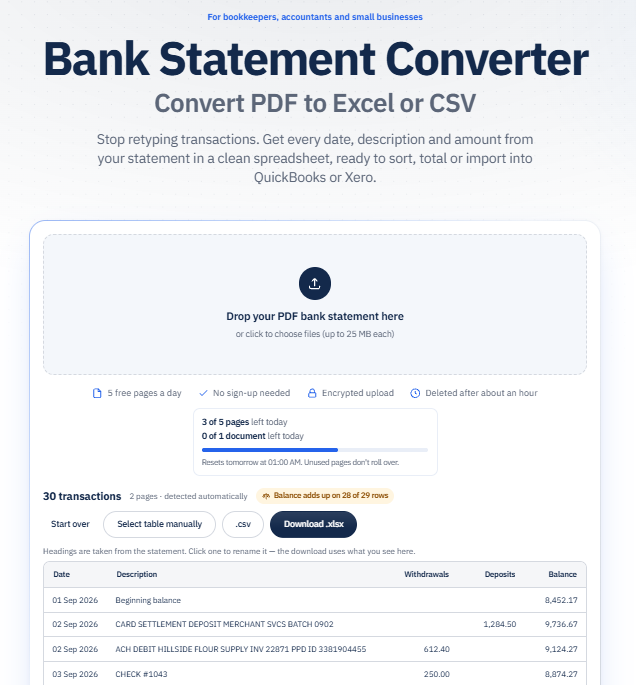
Bank Statement Converter (BSC) is an online bank statement converter that turns PDF bank statements into Excel or CSV files and lets you set the table for extraction yourself, so you can fix any misplaced data. You upload a statement, check the table in the preview and fix the table if a value lands in the wrong column. Before you download, BSC checks every row against the statement's running balance, on every plan, free included.
Free plan:
- 5 pages and 1 file a day with no account, or 10 pages and 2 files a day with a free account.
Pricing:
- Basic costs $5 a month billed yearly ($60), or $10 month to month.
- Pro costs $10 a month billed yearly ($120), or $20 month to month.
- For 2 to 5 users, the Team plan costs $8 per user a month billed yearly, or $16 monthly, and bigger teams can ask for a custom plan.
Page Limits:
- Basic: 600 pages a month.
- Pro: 1,800 pages a month.
- Team: 1,800 pages per user a month, shared across the team.
Formats:
- Excel (.xlsx) and CSV.
- Scanned statements convert to Excel.
Features:
- A preview of the table before you convert.
- A balance check that shows how many rows add up.
- If the table needs fixing, manual mode lets you draw a box around it, add or remove columns, move the column dividers and set each column's type, and the balance check runs again.
- Pro adds OCR and batch conversion, with all the results in one ZIP file.
Limitations:
- Excel and CSV only.
- No QBO, QFX, QIF or IIF files for QuickBooks Desktop or Quicken.
- OCR and batch conversion are on Pro only.
Best for:
- Bookkeepers, accountants and small businesses who work in Excel or Google Sheets, or import CSV files into QuickBooks Online or Xero, and want the lowest price per page with a check before download.
2. BankStatementConverter.com
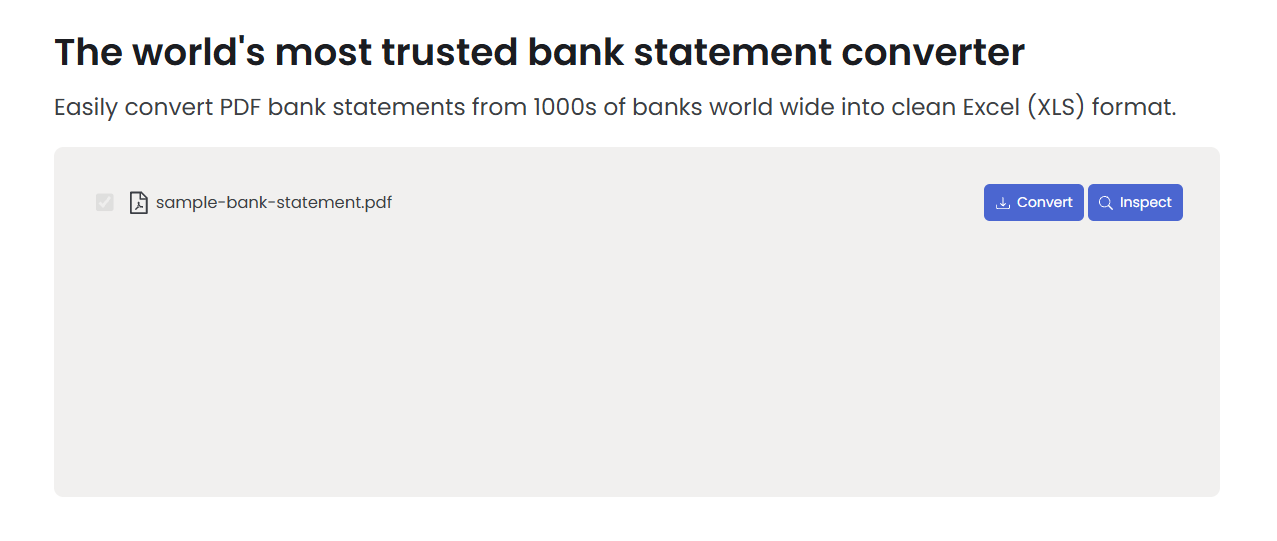
BankStatementConverter.com is an online converter that turns PDF bank statements into Excel, CSV or JSON files. Its site also has API documentation for developers.
Free plan:
- 1 page a day with no account, or 5 pages a day with a free account.
Pricing:
- Starter costs $7.50 a month billed yearly ($90), or $15 month to month.
- Professional costs $15 a month billed yearly ($180), or $30 month to month.
- Business costs $25 a month billed yearly ($300), or $50 month to month.
- Enterprise pricing is on request.
Page Limits:
- Starter: 400 pages a month.
- Professional: 1,000 pages a month.
- Business: 4,000 pages a month.
Formats:
- Excel, CSV and JSON.
Features:
- Reads scanned PDFs.
- API documentation for developers.
- They offer to look at statements that don't convert as expected.
Limitations:
- It doesn't list a balance check or a preview before download.
- Without an account you get 1 page a day, so most multi-page statements need a free account or a paid plan.
- Starter includes 400 pages a month for $90 a year, against 600 pages a month for $60 a year on BSC Basic.
- No QuickBooks or Quicken files.
Best for:
- Developers who want JSON output or API access to statement data.
3. FinanceFileConverter
FinanceFileConverter is an online converter for PDF bank statements and accounting files. It has the longest list of output formats in this comparison, including Tally XML.
Free plan:
- 1 file without an account, then a free or paid account is required.
Pricing:
- Hobbyist costs $21 a month billed yearly, or $25 month to month.
- Professional costs $41 a month billed yearly, or $49 month to month.
- Business costs $74 a month billed yearly, or $89 month to month.
Page Limits:
- Hobbyist: 500 pages a month.
- Professional: 1,500 pages a month.
- Business: 5,000 pages a month.
Formats:
- Excel andCSV.
- QBO, OFX, QFX, QIF, IIF and Tally XML.
Features:
- Batch upload on every plan.
- Works with digital and scanned PDF bank statements.
- Uploads are encrypted and removed automatically after conversion.
Limitations:
- It doesn't list a balance check or a preview before download.
- It notes that "heavily distorted scans may require clearer originals".
- Hobbyist works out to 4.2¢ a page billed yearly, about five times the price per page of BSC Basic.
Best for:
- Accounting firms that need QuickBooks, Quicken or Tally files from their statements, with batch upload on every plan.
4. DocuClipper
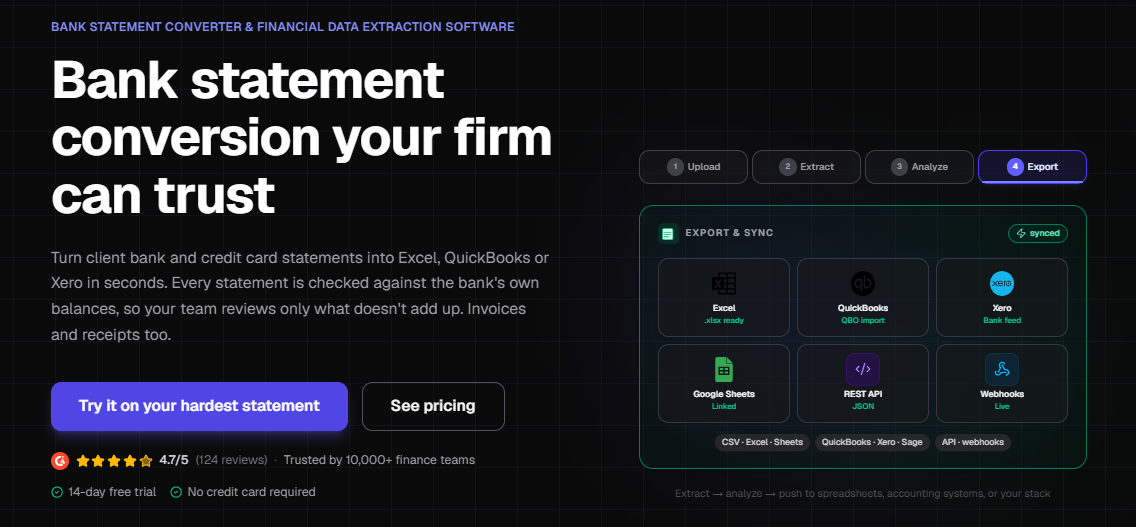
DocuClipper is an online data extraction tool for bank statements and other financial documents, built for accounting teams. It connects directly to QuickBooks Online and Xero.
Free plan:
- No free plan.
- A 14-day trial covers up to 120 pages, with no credit card.
Pricing:
- Starter costs $20.30 a month billed yearly, or $29 month to month.
- Business costs $111.30 a month billed yearly, or $159 month to month.
- Enterprise starts at $279.30 a month billed yearly.
Page Limits:
- Starter: 60 pages a month.
- Business: 640 pages a month.
- Enterprise: 1,800 pages a month.
- Unused pages don't carry over to the next month.
Formats:
- Excel and CSV.
- QBO, QFX, OFX, QIF and IIF, plus direct export to QuickBooks Online and Xero.
Features:
- OCR for scanned and photographed pages.
- Batch upload, an API on every paid plan and unlimited users.
- Automatic categorization.
- Reconciliation that compares the extracted totals with the statement's printed opening and closing balances and flags mismatches.
Limitations:
- No free plan after the trial.
- The highest price per page in this comparison: 33.8¢ on Starter billed yearly.
- It describes a check of statement totals and doesn't mention a row-by-row balance check.
Best for:
- Accounting firms and teams that send transactions straight to QuickBooks Online or Xero, need many users or want an API.
5. ProperSoft (ProperConvert)
ProperConvert by ProperSoft is a desktop app for Windows and Mac that converts bank statements into accounting and spreadsheet files. It runs on your computer, and its site says your data "is never uploaded to the cloud".
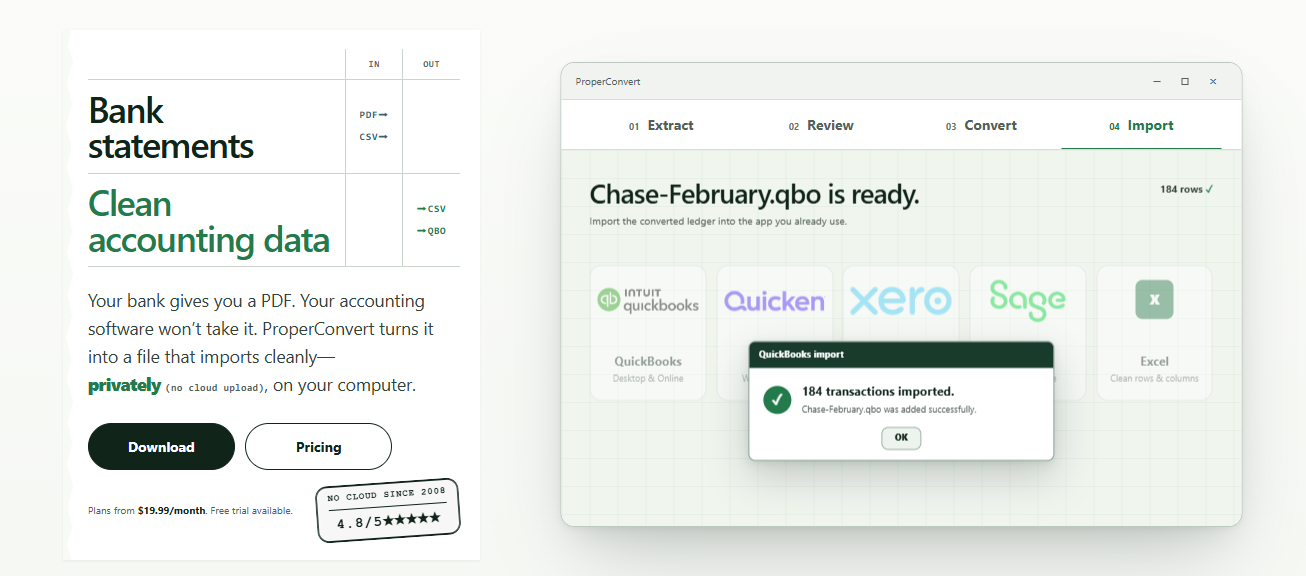
Free plan:
- No free plan.
- A trial that doesn't expire saves only 10 transactions per file.
Pricing:
- $15 a month billed yearly ($179.99), or $19.99 month to month, for one user on one device.
- A 3-user team plan costs $49.98 a month.
Page Limits:
- No page limit.
Formats:
- CSV and Excel.
- QBO, QBJ, IIF, QFX, QIF, OFX, for QuickBooks Online and Desktop, Quicken and spreadsheets.
Features:
- Reads text, image and scanned PDFs.
- Lets you review, edit or exclude any transaction before converting.
- Converts on your computer, without uploading files.
Limitations:
- You install it, and each license covers one device.
- It doesn't list a balance check.
- The price stays the same however few pages you convert.
Best for:
- Anyone who doesn't want statements uploaded anywhere, and bookkeepers who convert large volumes into QuickBooks Desktop or Quicken files on one computer.
How to choose a bank statement converter?
Start with the file you need, then match the plan to how many pages you convert each month:
- Output format. For Excel, Google Sheets or a CSV import into QuickBooks Online or Xero, an Excel or CSV converter is all you need, and BSC costs the least per page. For QuickBooks Desktop or Quicken, you need QBO, QFX, QIF or IIF files from FinanceFileConverter, DocuClipper or ProperSoft.
- Price. Compare the price per page on the plan you'd actually use. BSC Basic gives you 600 pages a month for $60 a year, while DocuClipper Starter gives you 60 pages a month for about $244 a year.
- Monthly volume. Count the pages you convert each month. On BSC, each PDF page counts as one page, so 12 monthly statements of 4 pages each use 48 pages. For a few statements a year, BSC's free account at 10 pages a day may be all you need. A bookkeeper converting 1,000 pages a month fits within Pro's 1,800.
- Scans. If your statements are scans, check which plan includes OCR. On BSC it's Pro, and our guide on how to convert a scanned bank statement to Excel shows the steps.
Frequently asked questions
1. Is there a free online converter for bank statements?
Yes. BSC converts up to 5 pages a day with no account and 10 with a free account, and BankStatementConverter.com converts 1 page a day without an account and 5 with one.
2. Can I download my bank statement to Excel without a converter?
Sometimes. Many banks let you export recent transactions from online banking as a CSV or Excel file. How far back the export goes depends on your bank, and older months are often only available as PDF statements. For those, you need a converter.
3. Which bank statement converter works with QuickBooks?
It depends on your version. QuickBooks Desktop needs a QBO or IIF file, which FinanceFileConverter, DocuClipper and ProperSoft create, and DocuClipper can also send transactions straight to QuickBooks Online. QuickBooks Online can also upload bank transactions from a CSV file with 3 columns (Date, Description, Amount) or 4 (Date, Description, Credit, Debit), up to 350 KB per file. So a CSV from BSC works there too.
4. Is it safe to upload bank statements to an online converter?
Read each tool's privacy policy before you upload. BSC deletes your files one hour after conversion and never accesses or sells them. FinanceFileConverter says uploads are encrypted and removed after conversion, and DocuClipper lists SOC 2 Type II compliance. If you'd rather not upload statements at all, ProperSoft converts them on your own computer.
5. How can I check that a converted statement is correct?
Use the running balance. On each row, the previous balance plus the deposit, or minus the withdrawal, should equal the balance printed on that row. A row that doesn't match points to a misread amount or a missing row. Then compare your total deposits and withdrawals with the account summary on the statement. BSC runs the row check for you before you download.
Convert your bank statement with BSC
Want to see how Bank Statement Converter - BSC handles your statements?
Upload a PDF to the bank statement converter, check the preview and the balance check, and download Excel or CSV. 5 pages a day are free, with no account.
Converting every month? See plans from $5 a month billed yearly.